 AutoCut
Give your words something to show.
Build on a talking video with relevant B-roll, captions and optional animated stickers, then refine the edit on iPhone.
Available in the AutoCut iPhone app
Start with a reason to edit.
A single talking shot can explain an idea, but a well-timed supporting shot makes it easier to see what you mean.
A day in Paris, illustrated
The original speaker describes coffee, a walk by the Seine and sunset. The edited example adds supporting shots and captions around those spoken moments.
A talking video becomes a visual story without losing the original voice.
Try this workflow with your own footage.Three steps to your version.
Choose your section
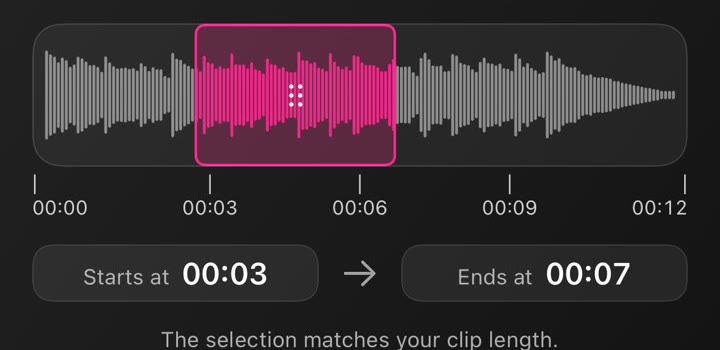
Pick a video and trim the part you want to work on.
Set your edit
Choose language, Auto Edit settings, coverage and whether to include stickers or music.
Review and refine
Generate the edit, then change media, timing, text and styling in the editor.
Relevant supporting shots
B-roll follows the ideas in the spoken content rather than replacing every part of the original video.
Stickers are optional
Keep the footage and decide separately whether animated stickers fit your story.
An editable result
The generated arrangement remains a project you can refine before export.
Auto Edit works with selected sections up to 90 seconds. Online generation requires an internet connection.
A walkthrough worth keeping.
Works well with…

Auto Captions
Generate subtitles for your video, choose a caption style and correct the text before sharing.



 STICKERS · GIFs · LOGOS
Animated Stickers & GIFs
Add animated stickers, editable graphic elements and GIFs to a video.
Music & Audio Editing
Choose music, use your own audio and adjust the selected section in your project.
Can I use B-roll & Auto Edit in my browser?
The feature runs in AutoCut for iPhone. The website provides examples, template previews and instructions.
Can I review the result before sharing?
Preview the finished result in the app and use the available editing controls to check the media, timing and appearance.
Does this feature require a purchase?
Access varies by tool and subscription. Generation features may also use credits. Check the current in-app screen and purchase details before you start.